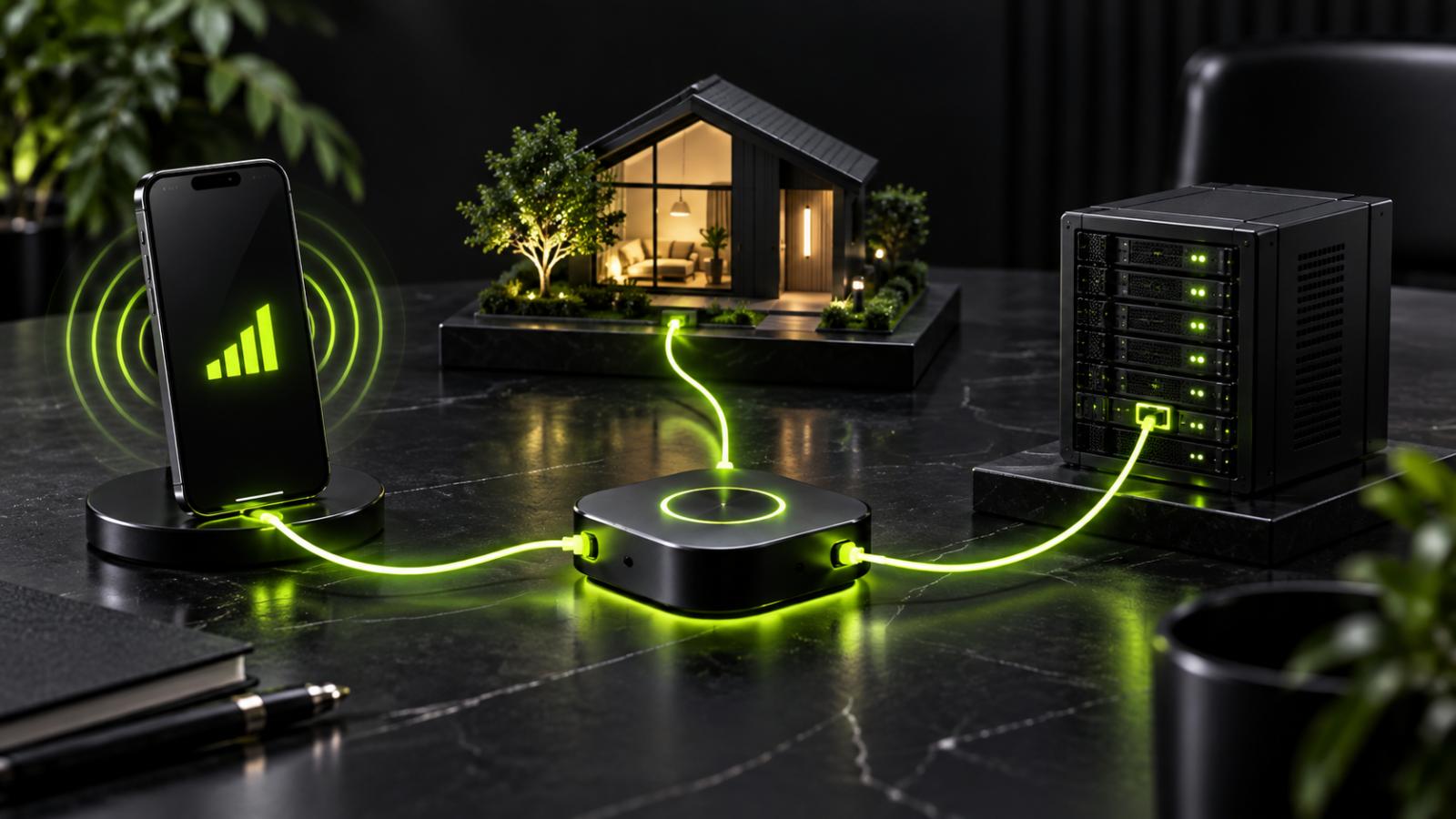
Mobile, residential and datacenter proxies differ first by where their IP addresses come from, and that one fact shapes the rest: how websites see the traffic, how fast it moves, how stable it stays and how it is billed. A datacenter proxy uses an address owned by a hosting company, a residential proxy uses one assigned by an internet service provider (ISP) to a home, and a mobile proxy uses one issued by a carrier to a device on a cellular network. None of the three is universally better, and each fits a different job.
For proxies for affiliate marketing, the jobs are landing page checks, ad verification, geo checks, and price and search monitoring. The right type depends on the target site, on how precisely the location has to match the offer and on how much the target objects to non-consumer addresses.
What a proxy does, and why the address type matters
A proxy is a middle server. The HTTP standard defines it as a message-forwarding agent that the client chooses to receive requests and satisfy them. In practice the proxy takes the outgoing request, forwards it under its own IP address and passes the answer back, so the destination sees the proxy's address, not the client's. MDN notes that forward proxies act on behalf of clients and can hide the client's IP address, while reverse proxies do the same job for servers.
The mechanism is the same for all three types. What differs is what a website can infer from the address doing the forwarding: whether it belongs to a hosting company, to a household or to a carrier, and where it is located. That is why two proxies with identical speed can give different results on the same site, and why using one type for every job overpays on easy targets and fails on protected ones.
Residential proxies
Residential proxies route traffic through addresses that ISPs assign to real households. The address is tied to a physical location and an ordinary internet subscription, so requests look like household traffic and are rarely refused on the basis of the address alone. Providers describe pools of many addresses across many countries and cities, which gives broad location coverage.
The trade-offs come from the architecture. Most residential networks are shared pools, so the history of a single address is unknown, and an address that a previous user abused can carry a poor reputation. Speed depends on the host's home connection, and a connection can drop when the host goes offline. Residential proxies are usually sold by traffic volume, and the per-gigabyte price sits above datacenter pricing because providers pay for access to home connections.
Typical uses in an affiliate workflow:
- Landing page and offer checks from a specific country or city.
- Ad verification on desktop placements.
- Search result and price monitoring where local results matter.
- Competitor research without regional bias.
Datacenter proxies
Datacenter proxies use addresses that belong to hosting or cloud companies, not to ISPs. They run on dedicated hardware in well-connected locations, so they are the fastest of the three types and cheapest per request. Shared datacenter proxies split the address among many users, and dedicated ones belong to a single user.
The weakness is visibility. Datacenter addresses are easy to recognise as hosting ranges, and entire blocks can be treated alike. Sites that want to keep automated traffic out may refuse known hosting ranges, so results on protected sites are less reliable. Coverage is also thinner, because providers tend to concentrate on a handful of countries.
Typical uses:
- Price monitoring and rank tracking on less protected sites.
- Website and application testing, load testing and API development.
- Bulk monitoring where speed and cost matter more than resembling a consumer connection.
Mobile proxies
Mobile proxies route traffic through addresses assigned by mobile carriers to devices on 3G, 4G or 5G networks. The traffic therefore looks like smartphone use on a cellular connection. Carriers typically share one public address among many subscribers at once, so blocking such an address would cut off many ordinary users, which is why websites tend to be reluctant to do it.
The costs are real. Mobile proxies are the most expensive type, pools are smaller than residential ones, coverage is concentrated in major markets, and speed can dip when signal is weak or the network is congested. Addresses also change as devices reconnect or move between towers, so rotation is built into the network rather than configured by the buyer. That is useful for some tasks and awkward for others.
Typical uses:
- Checking how mobile-first campaigns and app offers render on carrier networks.
- Ad verification for mobile placements, where a desktop check proves nothing.
- Checking mobile-only pages and services that behave differently on cellular connections.
ISP proxies: the hybrid
ISP proxies, also called static residential proxies, sit between the other types. The addresses are registered with ISPs, so they look like residential addresses, but they are hosted on servers in data centers, so speed and stability are close to datacenter level. They are assigned to one user and stay fixed for the length of the rental.
The limits are pool size and flexibility. ISP pools are smaller than residential networks and the address does not rotate, so they suit repeated checks from one fixed address rather than broad location sampling.
The four types side by side
| Feature | Datacenter | Residential | Mobile | ISP / static residential |
|---|---|---|---|---|
| IP source | Data centers and cloud servers | Home connections via ISPs | Mobile carriers | Data centers, registered under ISPs |
| Speed | Fastest | Moderate, depends on the host connection | Moderate, varies with signal and load | Fast, datacenter-level |
| Trust level (how consumer-like the address looks) | Lowest, easily identified as hosting | Medium to high | Highest, shared by many subscribers | High, ISP-registered |
| Stability | High | Lower, hosts can disconnect | Lower, addresses shift with the carrier network | High, fixed address |
| Rotation | Often static; depends on provider | Rotating or sticky sessions | Rotates with carrier settings or on demand | Typically static |
| Cost logic | Per IP or flat bandwidth; cheapest | Per gigabyte; mid-range | Per gigabyte, per port or flat fee; most expensive | Per IP; mid-range |
| Geo coverage | Concentrated in a few countries | Broad, country and city level | Narrower, strongest in major markets | Moderate |
| Best for | Bulk work on tolerant targets | Geo checks, ad verification, research | Mobile campaigns and app checks | Repeated checks from one fixed address |
The pattern is simple: the more an address resembles a consumer connection, the higher the trust and the higher the price, and speed and trust pull in opposite directions. The actual outcome still depends on the target site.
How websites treat each type
Websites do not treat all addresses alike, and the difference shows up as blocks, CAPTCHAs and extra verification prompts. Datacenter addresses are the easiest to identify because they belong to hosting companies. Residential addresses look like household traffic and are rarely refused, though a shared address with a bad history can still cause trouble. Mobile addresses sit at the top because carriers share them among many users.
This ranking is not a measure of quality. It measures how closely an address resembles a consumer connection, and it decides how reliably a task completes and what it costs.
Rotation and session control
Rotation decides how long one address stays in use. A rotating proxy changes the address with every request or after a set interval, which suits repeated checks across many locations. A sticky session keeps one address for a longer window, which suits a sequence of steps such as walking through a checkout path or a multi-page funnel.
The types rotate differently. Mobile addresses change as the carrier network reassigns them. Residential addresses rotate through the provider's pool and can usually be held sticky for a set period. Datacenter addresses are often static by default, and rotation depends on the provider. ISP addresses are typically fixed for the whole rental.
Speed, stability and cost logic
Speed comes from infrastructure. Datacenter proxies run on dedicated hardware with high-capacity connections, which gives lower latency. Residential speed depends on the host's home connection and what else is using it. Mobile speed depends on signal strength and congestion, which makes it the least predictable of the three, though newer 5G connections narrow the gap. For long uninterrupted jobs the stable options are datacenter and ISP addresses.
The three types are billed on different models, and the model matters more than the number. Datacenter proxies are usually sold per IP or with flat-rate bandwidth. Residential proxies are usually sold per gigabyte. Mobile proxies are the most expensive because providers maintain physical devices and carrier connections. Two consequences follow. A cheap type used on a target that refuses it wastes money, because blocked requests still consume budget and time. An expensive type used on a tolerant target pays for trust the task does not need.
Which type fits which task
| Task | Usual choice | Why |
|---|---|---|
| Landing page checks by country or city | Residential or ISP | Location targeting and consumer-like addresses |
| Ad verification on desktop placements | Residential | Local addresses show the ad as a resident sees it |
| Ad verification on mobile placements | Mobile | Only carrier addresses reproduce the mobile environment |
| Price and search monitoring at volume | Residential; datacenter for tolerant targets | Residential is refused less often; datacenter is cheaper where protection is light |
| Competitor and market research | Residential | Local addresses remove regional bias |
| Website and application testing | Datacenter | Fast, cheap and adequate for non-sensitive targets |
| Repeated checks from one fixed address | ISP or static residential | Fixed address with residential-style registration |
| Mobile app and offer checks | Mobile | Reproduces the carrier network the offer targets |
The table is a starting point. The deciding questions are whether the target treats hosting addresses differently and how precisely the location must match the offer's geography.
Using proxy types in an affiliate workflow
Offer and landing page verification comes first. An offer that pays for traffic in one country has to be checked from that country, because the page can show a different language, currency or price to a local visitor. Residential proxies cover city-level targeting, ISP proxies suit the same page checked repeatedly from one address, and mobile proxies matter when the offer is built for mobile traffic.
Ad verification follows the same logic: a desktop placement is checked with a residential address in the target market, and a mobile placement with a mobile address. Research and monitoring form the third group, where competitor research, price tracking and search checks all depend on seeing what a local user sees. Datacenter proxies can carry the cheaper, high-volume part of that work when the target does not refuse hosting ranges.
Many teams combine types: simple requests go through datacenter addresses and protected targets through residential or mobile ones. A proxy supplies the network location, and a separate browser environment supplies everything else, so pairing proxies with separate browser profiles is a common way to keep one client project apart from another. Platform terms still apply, and violations lead to restrictions regardless of the tooling. For the surrounding stack, see the affiliate marketing overview.
Sourcing: what to ask before buying
Residential and mobile networks depend on real people and real devices, so the sourcing model affects both the quality of the addresses and the risk of using them. Reputable providers describe consent-based sourcing, in which participants agree to share their connection and are compensated. Pools assembled without clear consent carry operational and legal risk for the buyer.
Pool size is a weaker signal than it looks. A large pool wins on scale, but a smaller pool in which every address is verified can win on cleanliness. Useful questions concern sourcing, targeting granularity and how the provider handles addresses with a poor history.
Common mistakes when choosing a type
- Buying on price alone, then paying for blocked requests and wasted hours.
- Using a residential or mobile proxy for a job that a datacenter address would handle.
- Ignoring location accuracy: an address in the right country but the wrong city fails a geo-specific check.
- Assuming a large pool guarantees clean addresses.
- Skipping the test phase and finding the problem mid-campaign.
- Treating the proxy as the whole setup. It solves the network question only; the browser environment and platform rules are separate.
The last step before paying is a small live test, and the article on testing proxy quality before you buy sets out the checks in order.
FAQ
Which proxy type is best for affiliate marketing?
There is no single best type, because affiliate work covers several different jobs. Residential proxies are the common default for offer checks, ad verification and research since they combine consumer-like addresses with broad location coverage. Mobile proxies are worth the premium when the campaign is mobile-first, and datacenter proxies handle high-volume, low-sensitivity monitoring at the lowest cost.
What is the difference between residential and datacenter proxies?
The difference is the source of the address. Residential proxies use addresses that ISPs assign to homes, so requests look like household traffic and are rarely refused. Datacenter proxies use addresses owned by hosting companies, which are faster and cheaper but easier for websites to identify. Residential proxies are usually priced per gigabyte and datacenter proxies per IP or flat bandwidth.
Are mobile proxies always better than residential proxies?
No. Carrier addresses are shared among many subscribers, which makes them hard to refuse without affecting real users. That advantage comes with the highest cost, smaller pools and less predictable speed. Residential proxies are cheaper and cover more locations, so mobile is the specialist choice, not the default.
What are ISP proxies and where do they fit?
ISP proxies, also called static residential proxies, are addresses registered with an ISP but hosted in a data center. They combine residential-style registration with datacenter-level speed and stability, and the address stays fixed for the rental period. Their pools are smaller than residential networks and the address does not rotate.